The Elder
The Elder is a 3rd-person Adventure Platformer made in Unreal Engine 4.22.
The Elder was built over the course of 4 months during our Final Project at Vancouver Film School. We had a 6 person team consisting of: Environmental Artist, Character Artist, Project Manager, Level Designer, Programmer and myself doing Technical Design and Programming.
My main roles for the project was doing the climbing system, boss fight and checkpoint system which I’ve highlighted below, but I also did level scripting, Menu and Options GUI, optimized and debugged Blueprints, wrote parts of the GDD and TDD and setup an Unreal Swarm for lighting builds.
You can download and play the game here: vfs.com/arcade/game/the-elder/
I have code-samples from this project available here: github.com/hcorion/CodeSamples/ClimbingSystem
Table of Contents
Climbing System
When creating the climbing system for The Elder I was faced with a unique problem. In regular climbing systems, the programmer can rely on the level designers to make sure that climbable points are evenly spaced and work properly within that specific environment.
With my system though, the player can place climbable points at any point, whether the player could reasonably fit at that spot or not. I’m pretty happy with the solution I’ve created for this game, and I’ve detailed how it works below.
Core System
So the basics of the the system works like this:
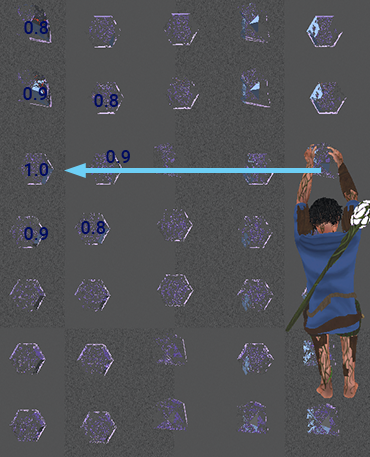
- Get the direction that the player is inputting (indicated by light blue arrow in diagram)
- Get all climbable object in that direction.
- The climbable objects that are farthest away are given the largest score (indicated in diagram by 1.0).
- Climbable objects that are farther to the left and right of our target vector are given less priority.
- The object with the highest score is then checked to see if the player can safely go there without intersecting with other collision.
The climbing system also fully supports moving climbable points, which was seen briefly in the boss fight.
Some cool content that never made it into the final game, was the ability to bounce crystals off of mushrooms.
Mantling
I decided to have mantling be a designer-placed feature rather than a runtime/build-time feature, due to the scope of the game, and the relative ease for me to implement the feature. It leveraged Unreal’s Spline component to create a system that was simple and easy to use for our Level Designer.
Final Boss
Description
The final boss of this game was a fun challenge, and went through many design and programming iterations.
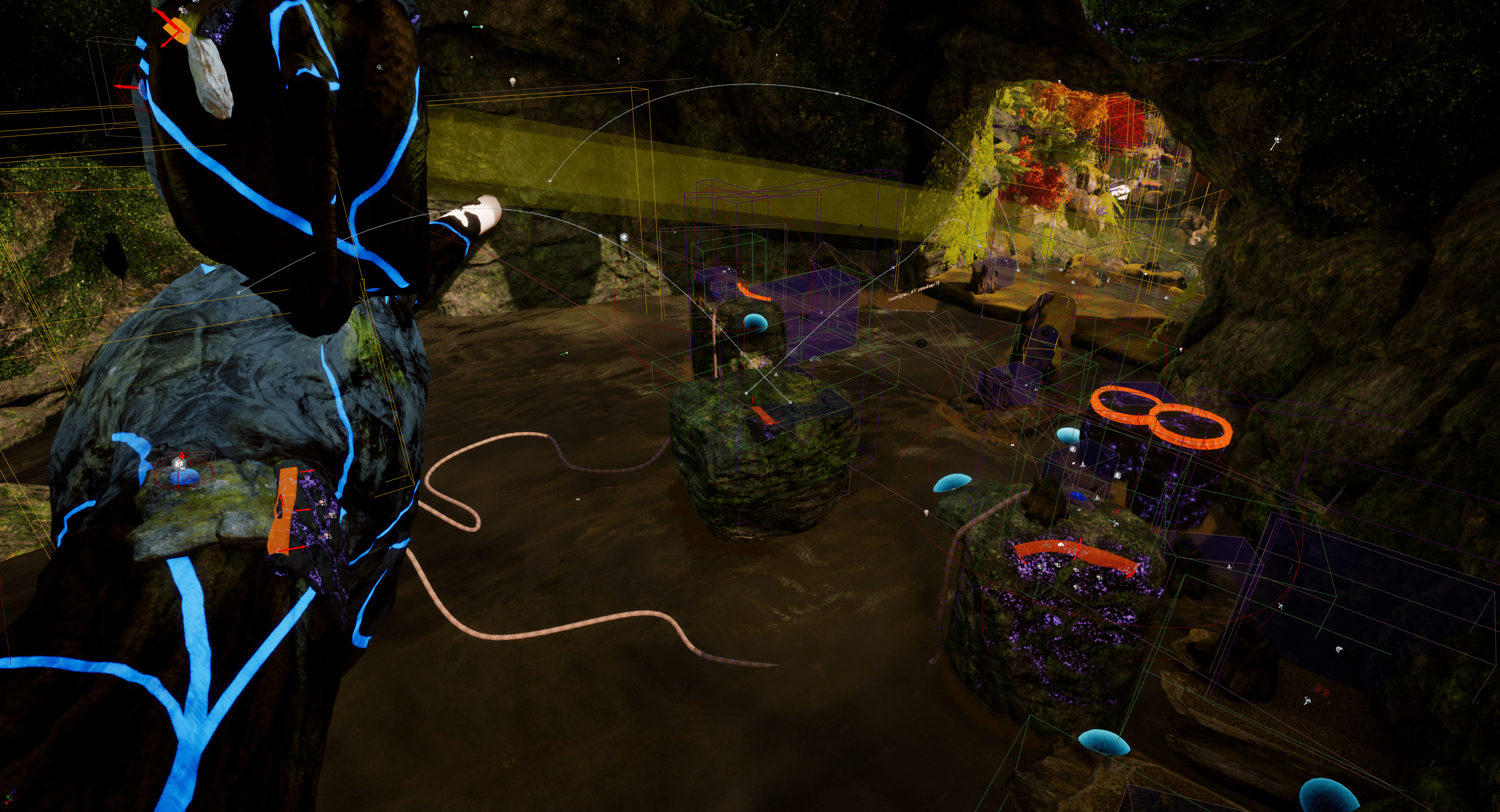
The boss was done in a combination of C++ and Blueprints. Originally I intended to write boss all in C++, but I switched during development to relying heavily on Blueprints. I found Blueprints to be faster to prototype with, and I wanted to quickly iterate with the team’s level designer to find a design we liked as fast as possible.
Below is a sample of a part of the boss-fight Blueprints, specifically, this is the character Blueprint.

Boss Smash IK
The procedural IK/FK took a while to figure out, and there are multiple components to it.
Basically I started this out with wanting the boss to be able to attack the player wherever they were using a fist smash attack. I wanted to preserve as much of the animation as possible, and sort-of guide the fist towards it’s target.
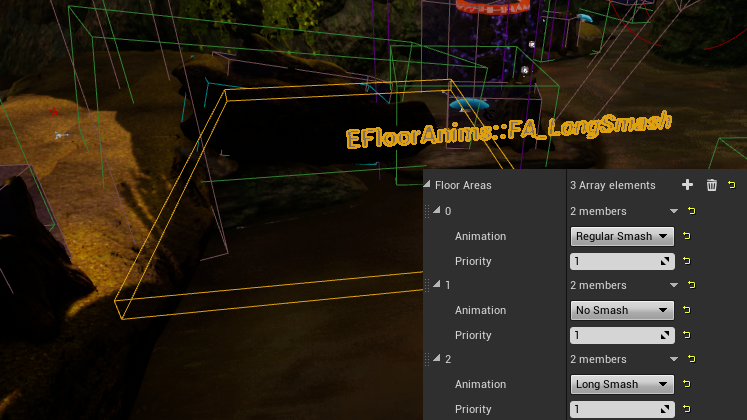
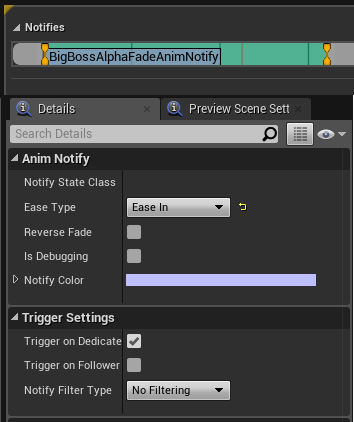
To accomplish this I made a custom notify state that faded an alpha value for the IK, easing in the target’s IK position.
This system allows animators to spend less time on making a bunch of blends, and instead focus their time on creating animations for specialized areas like characters or areas that are farther away.
You can see the system in use below, this examples uses just one animation.
Stealth System
The boss also features a mini-stealth cover system. This was added to add a time-based pressure to our mechanics.
The system itself is simple but effective, it just increases the boss “visibility” intensity based on a designer tweakable variable. Once the player enters the zone, the intensity gets reset.

Checkpoint System
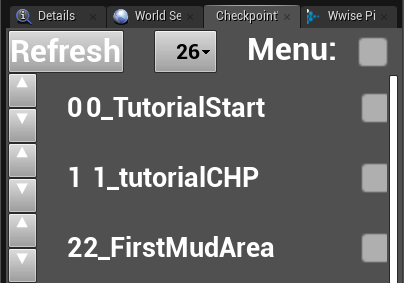
The checkpoint system was a key part of development for our team. I knew a flexible and designer-friendly checkpoint system would speed up development. I built the system using a mix of Blueprints and C++ in Unreal’s new Editor Utility Widget system.
Core System
The system was built for linear level progression, and I wanted to accomplish some things that were issues I’d encountered in previous GUI tools I’d seen:
- I wanted sublevel management built into the GUI.
- I wanted a way to reorder checkpoints inside the GUI
- I wanted to be able to insert new checkpoints inside the already existing order.
- I wanted the checkpoint to register itself instantly when dropped into the world.
- I wanted the GUI to update instantly once the name of a checkpoint was changed.
- I wanted proper support of Play From Start and Play From Camera Location.
Checkpoint Registration
Registering when a checkpoint was placed into the world took a while to figure out, because of the strange ways that Unreal deals with object placement.